


End-to-End Accessibility Barriers Experienced by Blind and Low Vision Users in Online Food Ordering
OVERVIEW
Food delivery apps promise convenience, but that promise isn't evenly distributed. For Blind and Low Vision (BLV) users, ordering a meal can mean guessing at item images, interpreting every update and hoping a driver reads the delivery note. This study followed the entire journey, browse, customize, pay, receive to find where accessibility breaks down.
Most prior research had examined single slices of the experience: online shopping, restaurant menus or delivery apps in isolation. We looked at the end-to-end process, because the friction BLV users face isn't one bad screen, it's something that accumulates across the whole flow.
THE PROBLEM
Accessibility is often framed as a feature for independence. It removes the need to travel to a store and lets users act as ordinary consumers. Yet many apps fail basic accessibility guidelines: unlabelled buttons, inconsistent interaction design and visual-only feedback. The alternative, asking sighted family and friends costs users their independence and the privacy the technology is supposed to provide.
For this study I identified 3 key questions:
- P01, What digital accessibility barriers do BLV users face while browsing, customizing, paying for and tracking online food orders?
- P02, How are BLV users communicating with delivery drivers and verifying orders during the pickup/last handoff?
- P03, What workarounds and strategies do BLV users rely on to get around these barriers?
METHOD
A pre-design exploratory study built on remote, semi-structured interviews, chosen to capture lived experience and emotional context, not just task success.
Participants (N = 4):Four BLV adults who use screen readers daily (VoiceOver on mobile, JAWS on Windows or EyeControl) with acquired blindness or acquired vision loss. All had ordered food online within the past six months. Recruited through the faculty advisor's accessibility research pool and anonymized as P1–P4.
Data collection: 60-minute Zoom sessions covering four areas: background and tech use, digital experience (accessibility barriers encountered), ordering behavior and strategies and coping approaches. Consent materials were provided in accessible formats.
Analysis: Each researcher independently coded transcripts to sticky notes capturing pain points, behaviors and quotes. The team then clustered these collaboratively through affinity mapping to surface cross-participant patterns.
WHAT WE FOUND
Three accessibility challenges recurred across the full ordering process.
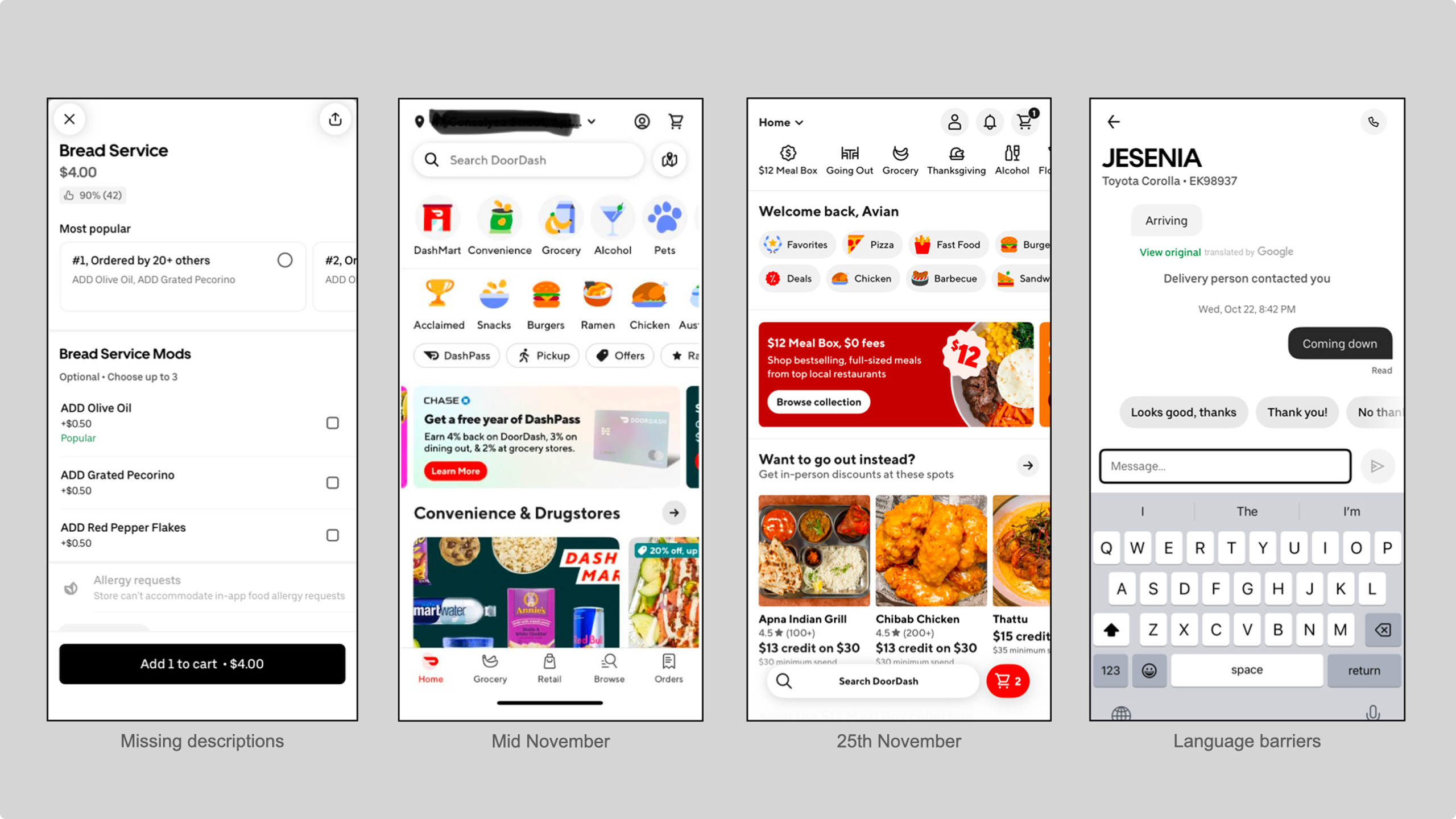
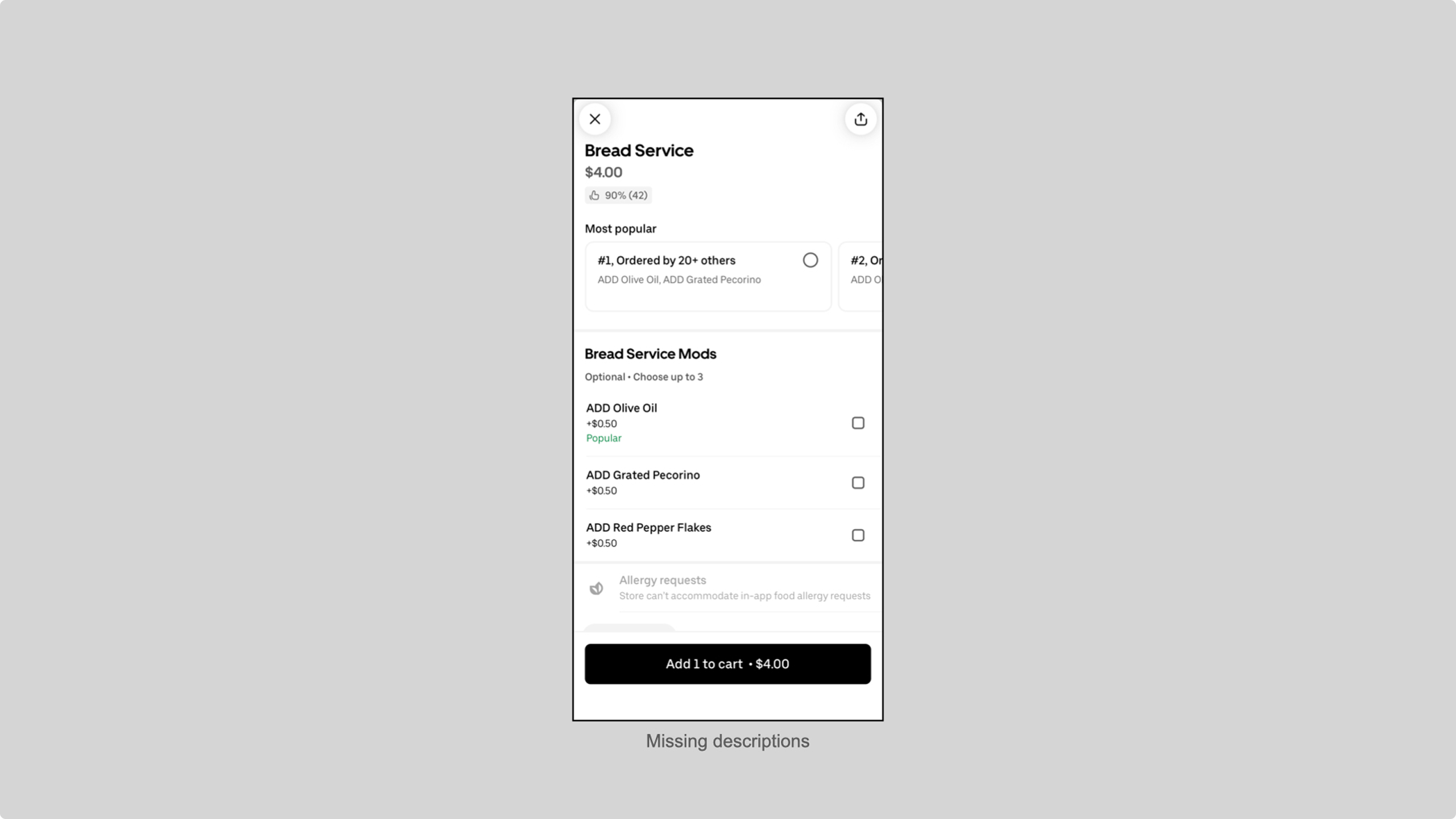
1. Information gaps, missing descriptions and dietary detail: All four participants hit menus that showed only a title, a price and a low-resolution image with no meaningful description. The stakes go beyond frustration: P3, who manages multiple dietary restrictions, described having to leave an app repeatedly to search online before she could safely order. Missing alt text on item images compounds the problem.
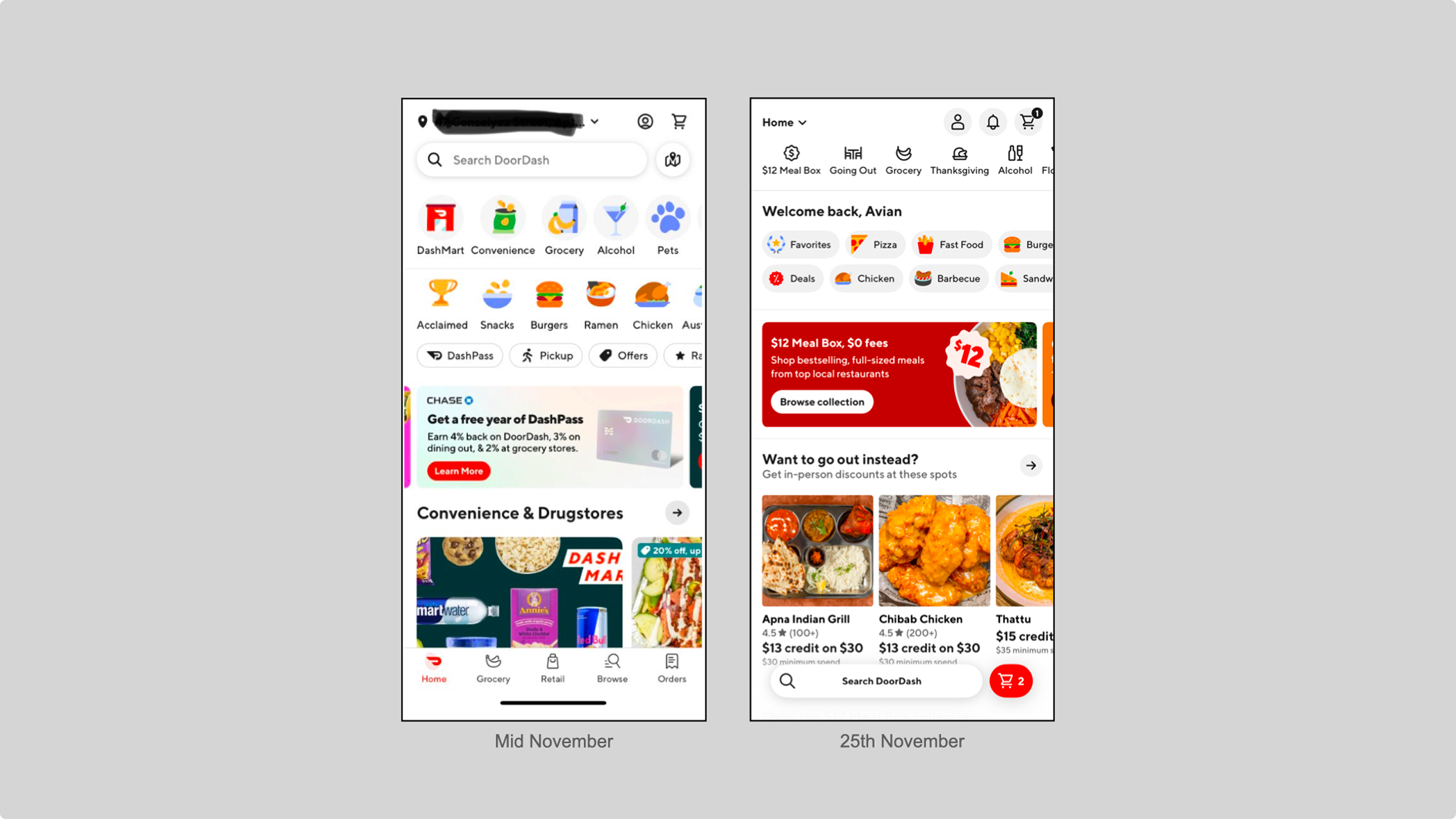
2. Platform instability and commercial clutter: Frequent app updates introduced accessibility regressions, a default card silently reverting after an update, an unusable cart button, sudden layout changes forcing users to relearn interfaces they'd already mastered. Promotional pop-ups and sale banners added noise and pricing that didn't reconcile at checkout forced extra calls to support.
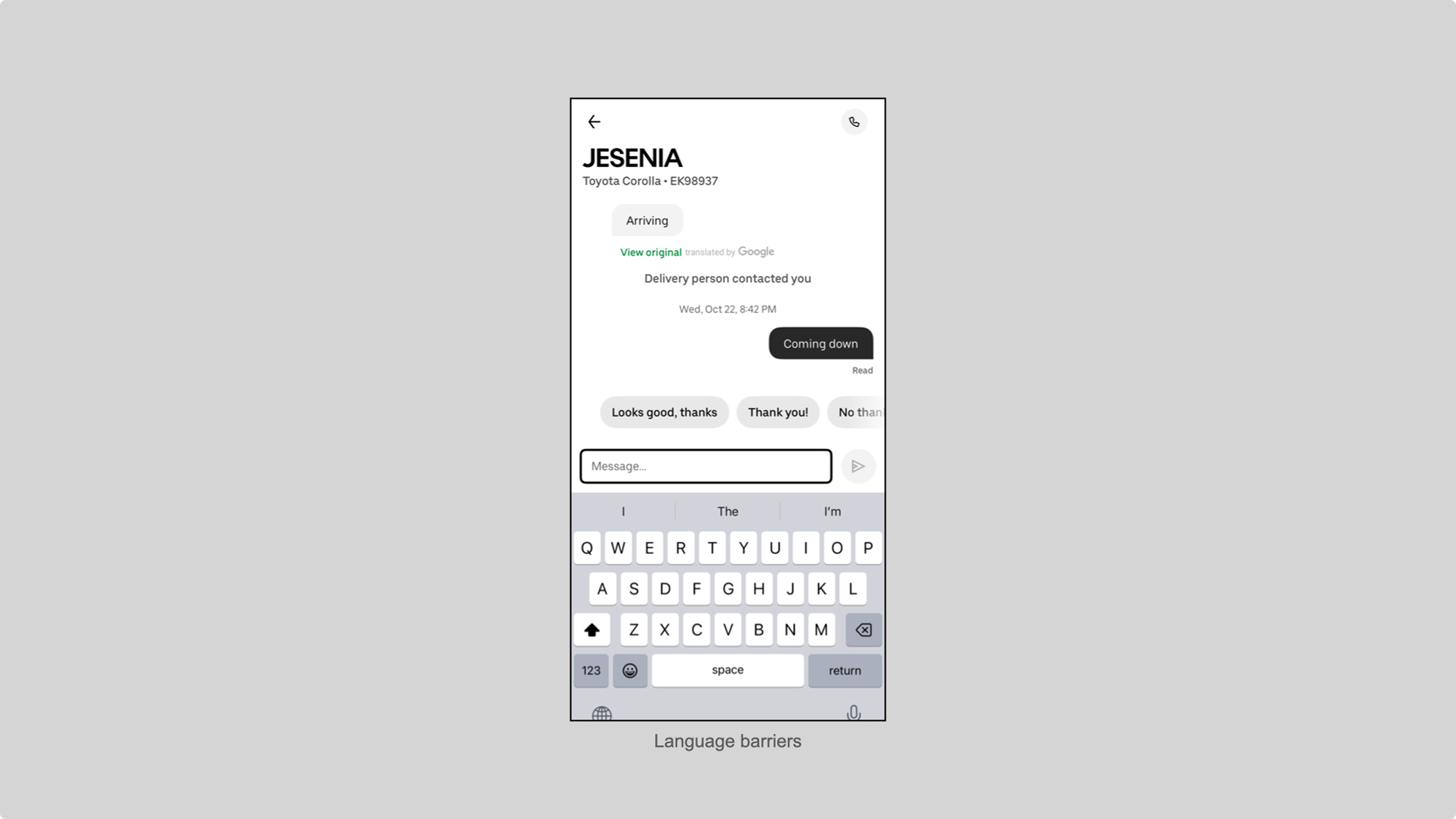
3. Breakdowns in delivery communication: The handoff stage exposed persistent human-communication gaps. Written delivery instructions were followed inconsistently, one participant estimated drivers complied only half the time. Drivers often sent photos for updates or substitutions, which are inaccessible to screen reader users, in some cases forcing a participant to disclose their blindness just to get a description.
DESIGN IMPLICATIONS
This study points to four directions for more inclusive end-to-end delivery:
- Standardization of item information: mandatory serving sizes, clear ingredient lists and filters for dietary needs.
- Strengthen accessibility regression testing so updates stop breaking critical workflows like payment selection and navigation.
- Reduce commercial clutter to lower cognitive load for screen reader navigation.
- Build non-visual delivery communication protocols, standardized text updates, alt text or text alternatives to photo-only messages and a way to ensure written instructions are actually read and acknowledged.
LIMITATIONS & NEXT STEPS
With N = 4, the study is exploratory by design, appropriate for surfacing patterns, not for generalizing. All participants were U.S.-based screen reader users and remote interviews couldn't directly observe the ordering process as it happened. Future work could add ethnographic or observational methods, expand the participant pool and compare experiences across specific channels: apps, websites and phone orders.